Guides & Automation
Best Bookkeeping Solutions in 2026: The Ultimate Guide to AI-Powered Bookkeeping for Small Businesses
Himanshi Asnani, SEO and Content Writer23 min read
In this article
Summarize this blog post with: ChatGPT | Perplexity | Claude | Grok
As any business owner knows, messy books can lead to missed deductions, cash flow surprises and stressful tax seasons. Unfortunately, too often business owners overlook that there is no single best bookkeeping solution; rather it should fit with their business size, transaction volume, budget and growth stage. We will compare leading bookkeeping approaches in 2026 in this guide so you can select one best suited to your business in 2026.
Key Takeaways
- Bookkeeping solutions include accounting software, outsourced bookkeeping services, and hybrid models that combine software with human oversight.
- Small businesses typically choose between DIY software, part-time bookkeepers, or full-service bookkeeping firms depending on transaction volume and budget.
- The right solution depends on business size, industry, and growth stage rather than a single universal “best” option.
- Scalability matters - a solution that works for a solo freelancer may not support a business with employees, inventory, or multiple revenue streams.
- Automation can reduce repetitive data entry through features such as bank feeds, transaction matching, document capture, and automated reconciliation.
- Business stage matters because a freelancer may need a much simpler solution than a growing startup with payroll, inventory, or multiple revenue streams.
- Pricing varies significantly from free or low-cost software plans to several hundred pounds per month for more comprehensive services.
- Integrations matter because payroll, invoicing, banking, tax, and e-commerce systems should work together rather than create additional manual work.
- UK compliance is increasingly digital, making compatible bookkeeping software particularly important for affected sole traders and landlords.
- AI bookkeeping automation can complement accounting software, particularly for UK accounting firms processing statements and financial data for multiple clients.
What Is Bookkeeping Solutions? (and What Are “Bookkeeping Solutions”?)
Bookkeeping solutions refer to any software, service or combination thereof used to record, organize and manage a company’s financial transactions.
Bookkeeping is the process of keeping track of financial activity relating to your business, such as sales, expenses, invoices, payments and bank transactions. A freelance designer using cloud software could connect their bank account, categorise expenses for invoice issuance and monitor outstanding payments more easily than with manual bookkeeping techniques.
Furthermore, bookkeeping differs from accounting in that bookkeeping is focused on recording daily financial transactions while accounting involves analysing, interpreting and reporting on that financial data.
For example, bookkeeping may record £5,000 of monthly sales, while accounting helps you understand profitability, tax implications, and financial performance.
What Is the Difference Between Bookkeeping and Accounting?
Bookkeeping is transactional; accounting is interpretive. For example, a bookkeeper logs a $500 client payment and categorizes it correctly, while an accountant uses that data to prepare tax filings or advise on pricing strategy. Most small businesses need strong bookkeeping first, then layer in accounting support as complexity grows.
“Solutions” is a deliberately broad term because it spans three categories: software you manage yourself, a service where humans do the work for you, or a hybrid that blends both. Each option suits a different stage of business, and that’s the framework this guide uses throughout.
Today, the term bookkeeping solutions covers three main approaches:
- DIY bookkeeping software that you manage yourself.
- Outsourced bookkeeping services where a professional handles your books.
- Hybrid bookkeeping where automation handles routine work while a bookkeeper provides human oversight.
At the same time, a newer category is emerging: AI bookkeeping automation for UK accounting firms. Instead of replacing accounting software, these systems can automate repetitive work before information reaches the firm’s accounting ledger.
For example, Ledger AI is designed for UK accounting practices and can extract financial information from emails, PDFs, Excel files and images, categorise transactions, and generate trial balances. It also states that it integrates with XERO, QuickBooks Online and Sage. (Ledger AI)
As such, the right option depends on what your business or accounting firm actually needs rather than which product has the longest feature list.
Why Choosing the Right Bookkeeping Solution Matters
Opting for the wrong bookkeeping solution costs more than time: it can cost real money in lost deductions and compliance penalties. Bookkeeping errors are one of the primary culprits behind small businesses incurring IRS fines or missing legitimate write-offs; 21% of small business owners report spending over six hours every month performing manual bookkeeping tasks, according to QuickBooks Small Business Report 2025.
Poor recordkeeping undermines tax compliance; unorganized receipts and miscategorized expenses make substantiating deductions harder.
Time is an invaluable commodity for founders wearing multiple hats. For example, an individual spending five hours each week reconciling spreadsheets is losing precious hours that could otherwise go toward sales or product development. Furthermore, poor bookkeeping makes cash flow management impossible - you cannot manage what you cannot see!
Thirdly, scaling readiness relies on having accurate books. Businesses looking for funding or loans need accurate historical financials so as to be prepared when approaching lenders or investors with their pitch - otherwise messy books may delay or preclude meaningful discussions altogether.
Why Are Bookkeeping Solutions Important for Small Businesses?
Good bookkeeping helps you see how money is moving in and out of your business. It’s like having a clear picture of your cash flow and how profitable you really are. For instance, a business might look like it’s doing well on paper, but in reality, it could be struggling to get paid by customers or cover its upcoming bills.
Moreover, automation can reduce repetitive manual work. Bank feeds, receipt capture, transaction matching, and automated reconciliation can help reduce the amount of information you have to enter manually.
For accounting firms, the efficiency opportunity can be even greater because the same repetitive processes may have to be completed across dozens or hundreds of client accounts. Automating statement collection, extraction, categorisation and reporting can reduce the amount of manual bookkeeping work performed by the team.
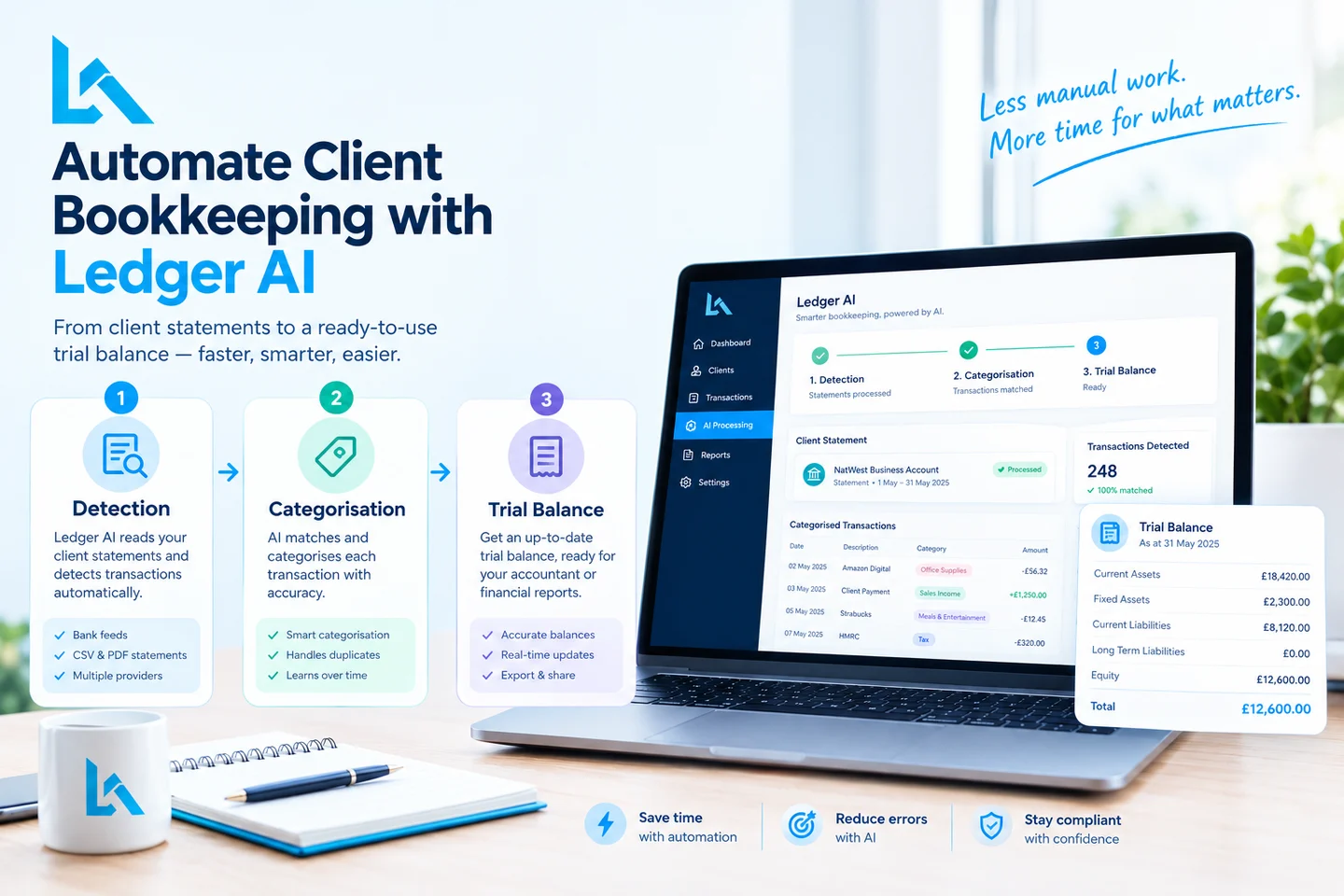
For example, Ledger AI says its workflow automatically detects incoming client statements, extracts transaction data, categorises spending and generates trial balances. (Ledger AI)
For UK businesses, digital bookkeeping is also increasingly important because Making Tax Digital requirements are expanding.
What Are the Main Types of Bookkeeping Solutions Available?
The three main types of bookkeeping solutions are self-managed software, outsourced bookkeeping services, and hybrid models that pair software with a dedicated bookkeeper.
1. DIY Bookkeeping Software
DIY bookkeeping software is designed for business owners who want to manage their own financial records.
First, modern cloud bookkeeping platforms can connect to bank accounts, create invoices, categorise transactions, track expenses, and produce financial reports. For example, a solo consultant with straightforward finances may be able to handle most routine bookkeeping without hiring a dedicated bookkeeper.
Best for:
- Freelancers
- Sole traders
- Consultants
- Small service businesses
- Businesses with relatively simple transactions
The main advantage is control over cost and day-to-day records. The downside is that you remain responsible for maintaining accurate records and understanding what the software is showing you.
2. Outsourced Bookkeeping Services
Outsourced bookkeeping services use a professional bookkeeper or bookkeeping firm to manage some or all of your financial records.
Moreover, outsourcing can become valuable when bookkeeping consumes too much of your working week. For example, a growing business might have hundreds of monthly transactions, supplier invoices, payroll information, and VAT responsibilities that make DIY bookkeeping increasingly difficult.
Best for:
- Busy business owners
- Companies with growing transaction volumes
- Businesses with employees
- Owners who dislike financial administration
- Businesses that need regular professional oversight
Outsourced bookkeeping services typically cost more than DIY software but can reduce the time and error risk associated with manual bookkeeping.
3. Hybrid Bookkeeping
Hybrid bookkeeping combines accounting software with professional human support.
First, software handles repetitive tasks such as transaction imports and document capture. Then, a bookkeeper reviews records, investigates unusual transactions, reconciles accounts, and helps keep the books organised.
For UK accounting firms, Ledger AI-powered bookkeeping automation can take this hybrid model further. The automation layer can process incoming statements and financial documents before the accountant or bookkeeper reviews the resulting data.
For example, Ledger AI describes a workflow where client statements are detected from a firm’s inbox, transactions are extracted and categorised, and reports or trial balances are generated for review.
This approach can be particularly useful for growing companies and accounting practices. Automation handles volume, while human oversight handles judgement.
What Features Should You Look for in Bookkeeping Software?
The best bookkeeping software should combine automation, integrations, reporting, scalability, security, and appropriate support.
Automation and Bank Feeds
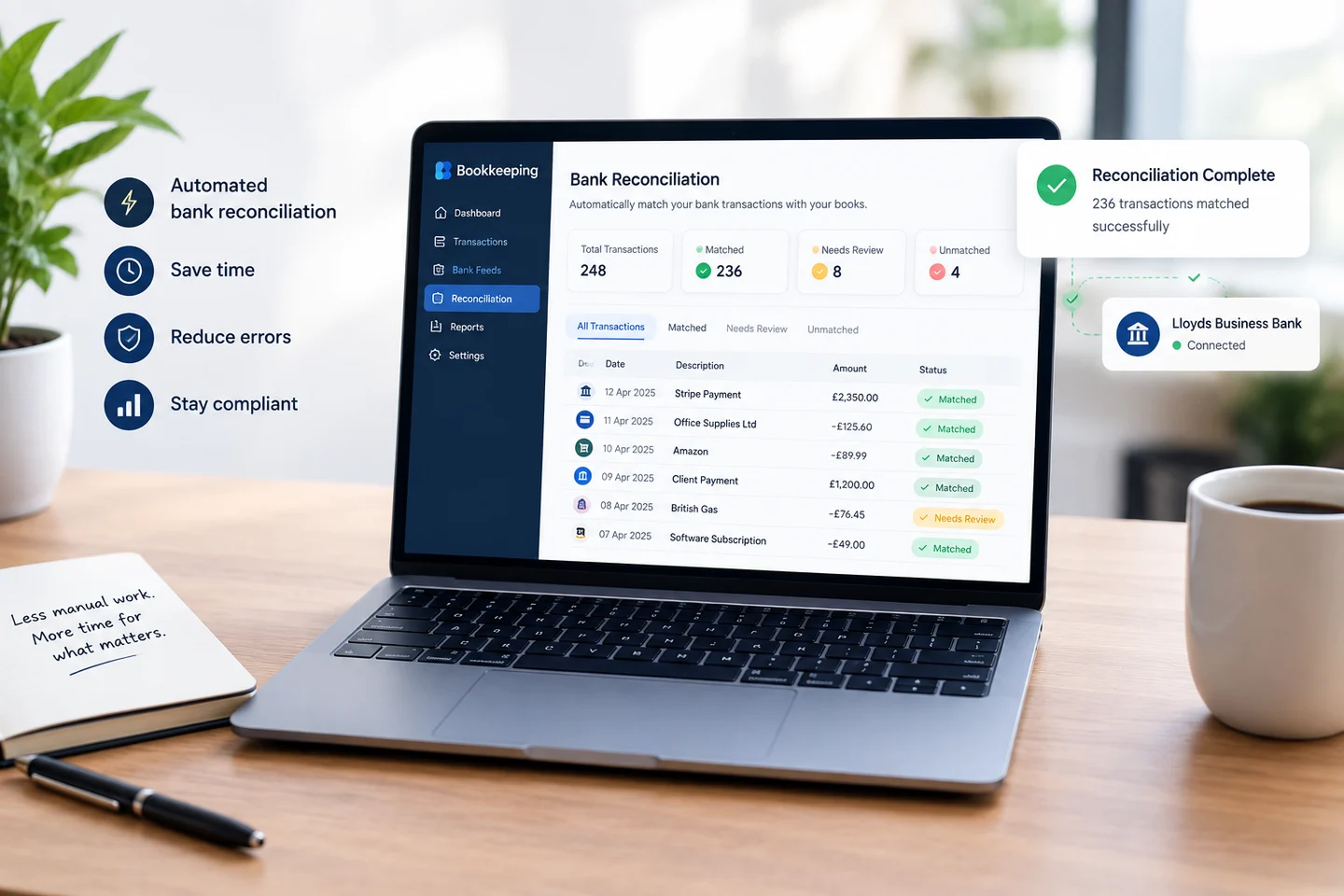
Automation reduces repetitive bookkeeping tasks by moving information directly from connected financial systems.
For example, bank feeds can import transactions automatically, while document-capture tools can extract information from receipts and invoices.
For accounting firms, however, automation can start even earlier in the process. Ledger AI states that it can detect client statements arriving through a connected firm inbox and extract transaction information from PDFs, CSVs and emailed statements.
Integrations
Integrations connect bookkeeping with the rest of your business workflow.
First, check whether your chosen solution works with the systems you already use, including:
- Banking platforms
- Payroll software
- Invoicing tools
- Payment providers
- E-commerce platforms
- Tax software
- Expense management systems
For accounting firms, integration is especially important because changing the firm’s entire accounting stack simply to introduce automation may not be practical.
Ledger AI takes a complementary approach by stating that it integrates via API with Xero, QuickBooks Online and Sage. This means an accounting firm can potentially add AI-powered statement processing without abandoning its existing accounting platform.
Reporting and Financial Visibility
Reporting features turn bookkeeping records into information you can use for decisions.
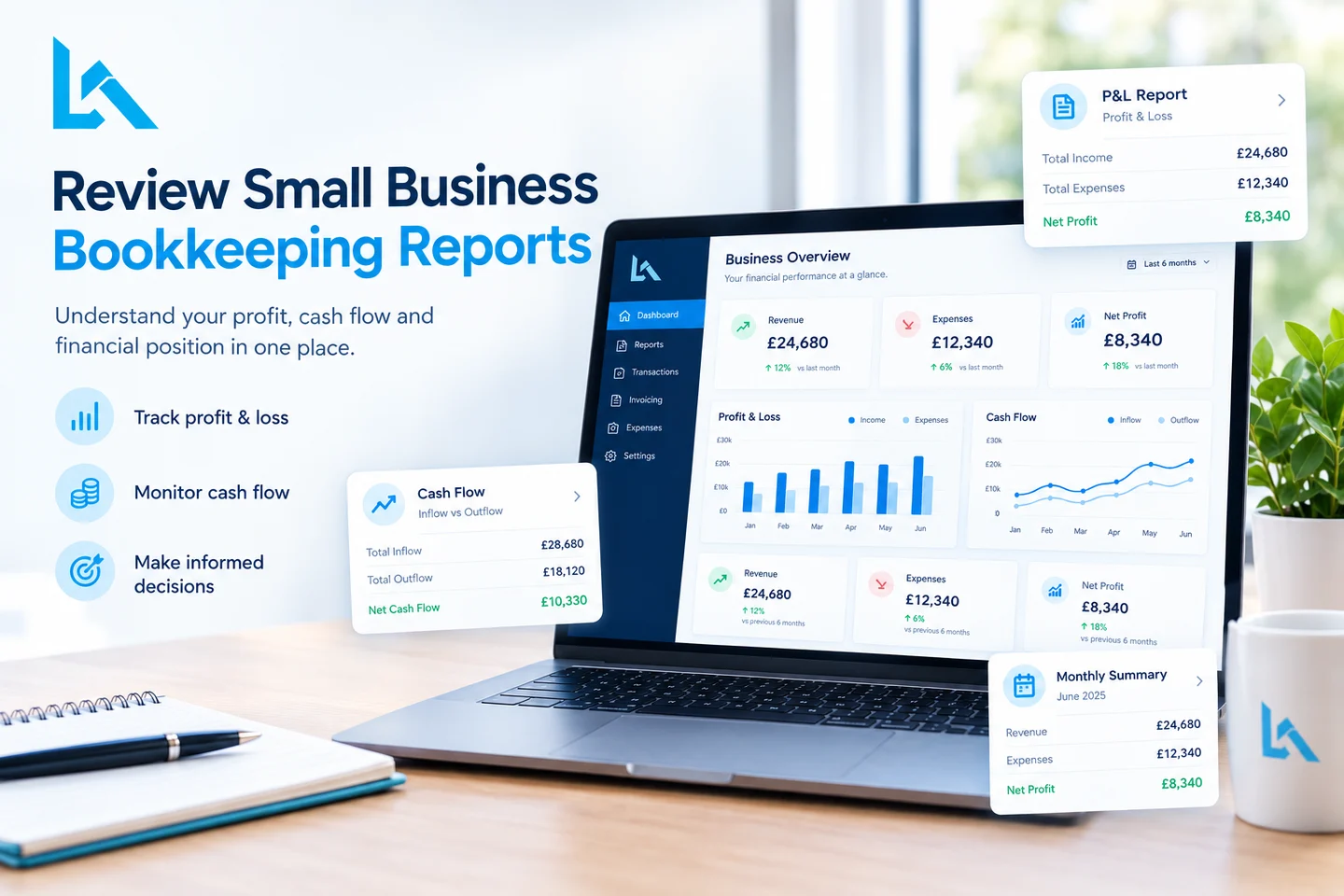
For example, a profit and loss report can show whether revenue is growing faster than expenses. Cash-flow reporting can help you identify upcoming funding pressure before it becomes an emergency.
For accounting firms, reporting can also mean quickly producing client-ready outputs. Ledger AI states that its system can generate trial balances and export them to Excel or PDF.
Scalability
Scalability means your bookkeeping solution can continue working as your business becomes more complex.
An independent consultant might only require invoices, expenses, bank feeds and tax records; while an expanding business might need payroll, inventory control systems, multiple currencies, advanced reporting and additional users.
For an accounting firm, scalability has another meaning: the ability to process more client accounts without increasing manual work at the same rate.
Therefore, today’s best bookkeeping solution shouldn’t become a migration problem later.
Which Bookkeeping Solutions Are Best for Freelancers and Solopreneurs?
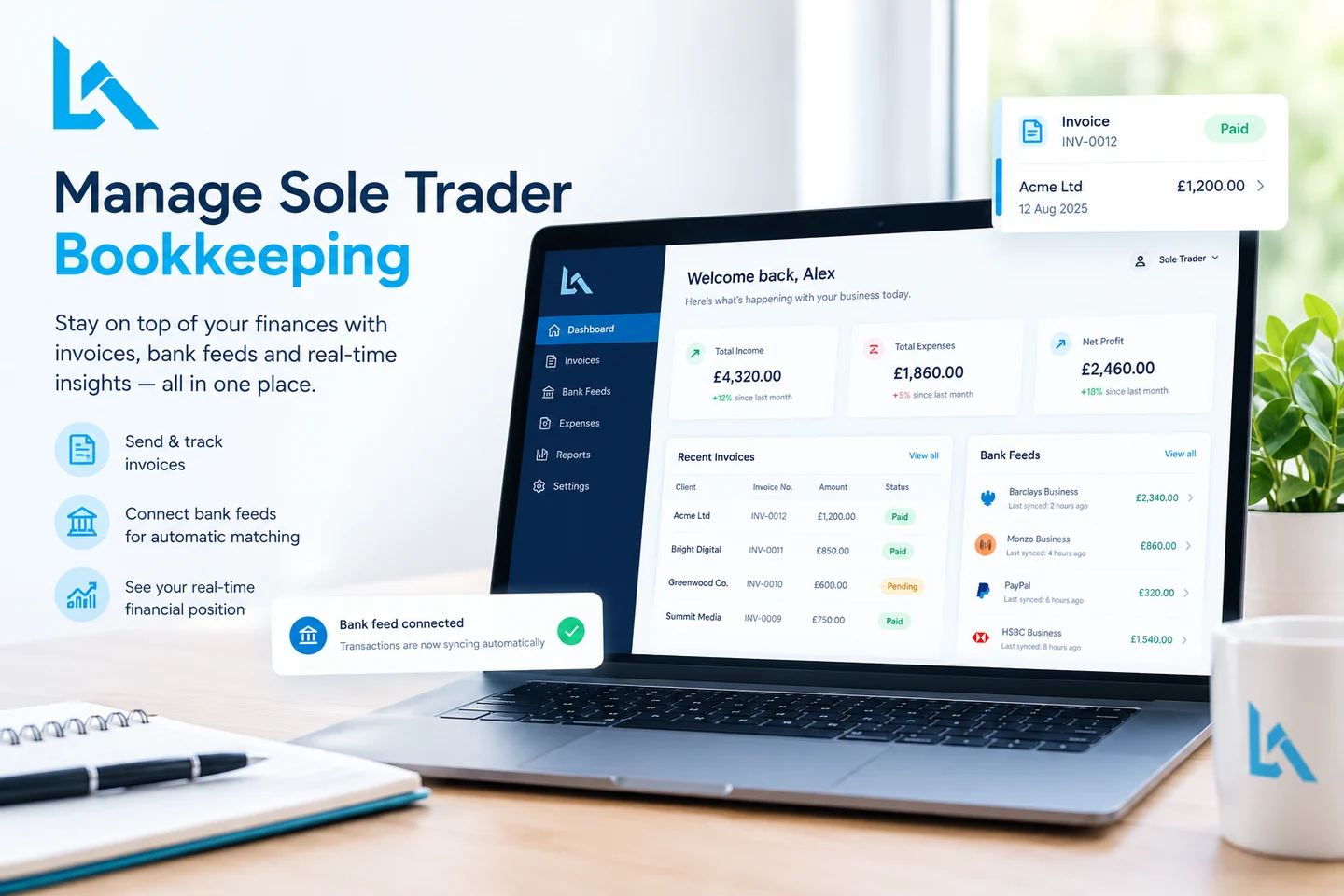
Freelancers and solopreneurs usually benefit from simple cloud bookkeeping software with invoicing, bank feeds, expense tracking, and tax-related features.
First, look for simplicity rather than enterprise-level functionality. A freelance writer, designer, developer, or consultant may not need complex inventory or multi-entity accounting.
Sage, for example, offers accounting products designed for UK sole traders and small businesses.

Xero also provides cloud accounting functionality for UK businesses, including banking, invoicing, reporting and other financial-management features.
Best approach: choose software you can comfortably maintain every week rather than a platform with features you will never use.
Ledger AI is less relevant for a freelancer who only manages their own books. Its stronger use case is the accounting or bookkeeping firm processing financial information for multiple clients, where repetitive statement processing becomes a larger operational task.
Which Bookkeeping Solutions Are Best for Small Businesses?
Small businesses generally need bookkeeping software that combines automation with strong reporting and integrations.
First, consider transaction volume and the number of people involved in financial administration. A company with employees, supplier invoices, VAT obligations, and regular payments will usually need more functionality than a one-person business.
Sage and Xero both provide established accounting platforms for UK businesses, while QuickBooks Online provides another widely used cloud accounting option.
For accounting firms supporting these businesses, an additional automation layer can make the workflow more efficient. Ledger AI is designed to sit alongside existing accounting systems rather than force a firm to replace them. Its website lists direct API integrations with Xero, QuickBooks Online and Sage. Ledger AI
Best approach: select software that covers your current requirements while leaving room for moderate growth.
Which Bookkeeping Solutions Are Best for Growing Startups?
Growing UK startups usually need scalable bookkeeping systems that connect financial data with payroll, reporting, forecasting, and other operational tools.
Moreover, startups often change quickly. A business may move from a handful of transactions to recurring revenue, employees, contractors, multiple payment systems, or international customers within a relatively short period.
A scalable solution should therefore support:
- Multiple users
- Payroll integration
- Automated transaction processing
- Management reporting
- Cash-flow forecasting
- Expense management
- Tax and compliance workflows
- Integration with business systems
For startups using an accounting firm, the firm’s internal bookkeeping workflow also matters. AI automation can help the accounting team process incoming client data faster without requiring the startup itself to change its entire accounting system.
Related reading: The Complete Guide to Bookkeeping Automation for UK Accounting Firms (2026)
Which Bookkeeping Solutions Are Best for E-commerce Businesses?
E-commerce businesses need bookkeeping solutions that can handle multiple sales channels, payment providers, inventory, fees, refunds, and potentially multiple currencies.
First, e-commerce bookkeeping is more complicated than simply recording sales. A single order can involve product costs, shipping, payment processing fees, discounts, refunds, VAT, and inventory movements.
For example, a growing online retailer may need its bookkeeping platform to connect sales data with banking, payment processing, inventory, and tax workflows.
Best approach: prioritise integrations and inventory support before choosing based only on the monthly subscription price.
Is Ledger AI Better Than Xero for UK Accounting Firms?
Ledger AI and Xero solve different parts of the bookkeeping workflow, so Ledger AI can be better suited to repetitive client-data processing while Xero remains a broader accounting platform.
First, Xero provides a complete accounting environment with features including invoicing, bills, payroll, inventory, expenses, VAT returns, reporting, integrations and AI capabilities through JAX. Xero also supports accountants and bookkeepers through its partner ecosystem. (Xero)
At the same time, Ledger AI focuses more narrowly on the operational work that happens around incoming financial documents. Its website highlights email statement detection, bank-statement ingestion, AI spending categorisation, trial-balance generation and statement alerts. (Ledger AI)
For example, an accounting firm receiving monthly HSBC, Barclays, NatWest or Lloyds statements from multiple clients could use Ledger AI to detect those statements, extract transactions, categorise them and prepare a trial balance before the firm’s team reviews the information. (Ledger AI)
This makes the two platforms potentially complementary rather than direct substitutes.
Think of it this way: Xero manages the accounting environment; Ledger AI can automate more of the repetitive bookkeeping work feeding that environment.
Best Bookkeeping Solutions in 2026: Comparison Table
The following table provides a practical starting point for comparing common bookkeeping approaches and leading software options for UK businesses and accounting firms.
| Solution | Best For | Pricing / Model | Key Features | What Makes It Different | Best Choice For UK Firms? |
|---|---|---|---|---|---|
| Ledger AI | UK accounting and bookkeeping firms managing multiple clients | 1 month free for early accounting firms; full pricing available from provider | AI statement extraction, email statement detection, transaction categorisation, trial-balance generation, statement alerts, Excel/PDF exports | Designed around accounting-firm bookkeeping workflows. Can process statements from emails, PDFs, Excel and images, categorise transactions, and integrate with Xero, QuickBooks Online and Sage. (Ledger AI) | ⭐⭐⭐⭐⭐ Strong choice for firms looking to automate repetitive bookkeeping work |
| Xero | Small businesses, startups, accountants and bookkeepers | UK plans currently range from £7 to £70/month, excluding VAT, depending on plan. (Xero) | Accounting, invoicing, bills, payroll, VAT, reporting, inventory, integrations and AI | Full accounting platform with a broad feature set and established accountant/bookkeeper ecosystem. | ⭐⭐⭐⭐⭐ Excellent accounting platform; can work alongside Ledger AI |
| Sage Accounting | UK sole traders and small businesses | Subscription-based | Invoicing, banking, VAT, payroll, reporting and accounting | Established UK accounting ecosystem | ⭐⭐⭐⭐ Good accounting platform; Ledger AI can add statement-processing automation |
| QuickBooks Online | Small businesses, freelancers and accountants | Subscription-based | Bookkeeping, invoicing, expenses, reporting, banking and integrations | Broad cloud accounting functionality | ⭐⭐⭐⭐ Good accounting platform; Ledger AI can automate upstream bookkeeping processes |
| Outsourced Bookkeeping Services | Businesses wanting human financial support | Usually monthly service pricing | Reconciliation, categorisation, reporting, bookkeeping management | Human expertise and judgement | ⭐⭐⭐⭐ Useful where professional oversight is required |
| DIY Bookkeeping Software | Freelancers and very small businesses | Free to low monthly cost | Basic income, expenses, invoices and financial records | Low cost but requires owner involvement | ⭐⭐⭐ Best for simple financial operations |
| Hybrid Bookkeeping | Growing businesses and accounting firms | Software + service cost | Automation + human review + accounting software | Combines technology with professional oversight | ⭐⭐⭐⭐⭐ Often the strongest approach for complex businesses |
Pricing is indicative and can change. Check the provider’s current pricing before purchasing. Xero’s current UK pricing shows £7 for Simple and up to £70 for Ultimate from 1 September 2026, excluding VAT and optional add-ons. (Xero) Ledger AI currently advertises one month free for early accounting firms. (Ledger AI)
What Makes Ledger AI Different for UK Accounting Firms?
Ledger AI is different because it focuses specifically on automating the repetitive bookkeeping workflow that accounting firms perform across client accounts.
For example, its workflow is designed to detect incoming client statements, extract transactions, categorise spending using UK accounting terminology, and generate trial balances. The platform lists support for major UK banks including HSBC, Barclays, NatWest, Lloyds, Monzo, Starling, Metro Bank, Virgin Money, American Express and ANNA. (Ledger AI)
Moreover, Ledger AI states that it integrates with Xero, QuickBooks Online and Sage through API connections, allowing firms to keep their existing accounting platforms while adding automation to the bookkeeping process. (Ledger AI)
That is the key advantage for UK accounting firms: Ledger AI does not need to replace the accounting software the firm already uses. It can add an automation layer around the bookkeeping workflow.
How Much Does a Bookkeeping Solution Typically Cost?
Bookkeeping solutions typically range in cost from free basic software up to hundreds of pounds per month for comprehensive outsourced support, depending on their complexity and service level.
First, software pricing can often be easier to compare because providers publish subscription tiers. For instance, Xero’s current UK pricing (as of 1 September 2026) for Simple plans ranges from £7 per month for Simple to £70 per month for Ultimate plans; these prices exclude VAT and optional add-ons (Xero).
Ledger AI currently advertises a one-month free offer for early accounting firms, with their website instructing firms to book a demo of its wider platform. (Ledger AI)
Outsourced bookkeeping costs depend on factors like transaction volume, business structure, reporting needs, payroll services, VAT registration requirements and any human support required.
Cheap bookkeeping solutions may not necessarily be the most cost-effective when they result in hours of manual work and costly errors.
Is DIY Bookkeeping Software Enough for a Small Business?
DIY bookkeeping software can be enough for a small business when transactions are manageable, finances are straightforward, and the owner can maintain records consistently.
First, DIY works best when you have predictable income, limited expenses, straightforward banking, and no complicated inventory or payroll requirements.
However, DIY bookkeeping becomes less attractive when you spend several hours each month fixing categorisation problems or trying to understand reports.
Ask yourself:
- Are your books consistently up to date?
- Can you reconcile your bank account confidently?
- Do you understand your key financial reports?
- Can you manage VAT and tax-related requirements?
- Are financial tasks taking time away from running the business?
If several answers are “no”, it may be time to consider outsourced or hybrid support.
When Should a Business Switch to Outsourced Bookkeeping?
Businesses should consider outsourcing bookkeeping when financial administration becomes too complicated, time-consuming or risky to manage internally.
Rapid expansion can also present unique bookkeeping challenges, with employees joining, transaction volumes increasing, e-commerce expansion and the introduction of multiple revenue streams making bookkeeping increasingly complex.
Outsourcing can also make sense when you require regular financial reporting but do not need a full-time employee dedicated to finance.
However, accounting firms themselves may find another solution more suitable. Automating repetitive bookkeeping tasks may allow existing teams to process more client work without increasing manual workload simultaneously.
Good bookkeeping technology should ease administrative pressure rather than simply shifting data entry onto another person.
Can Bookkeeping Software Integrate With Payroll and Tax Tools?
Bookkeeping software can integrate with payroll, tax, banking, invoicing, payment, and other business systems when the relevant integrations are supported.
First, integration reduces the need to copy information between disconnected platforms. For example, connecting payroll with bookkeeping can make it easier to keep wage and employer-cost information aligned with financial records.
For accounting firms, integration can also prevent a common problem: introducing a new automation system that creates another isolated data source.
Ledger AI states that it provides API integrations with Xero, QuickBooks Online and Sage, allowing firms to connect AI-powered bookkeeping automation with their existing accounting workflow. (Ledger AI)
Integration should be evaluated before purchase because changing financial systems later can be disruptive and expensive.
What Is the Future of AI-Powered Bookkeeping?
AI-powered bookkeeping is shifting accounting software from passive record keeping toward automated data capture, transaction categorisation, anomaly detection, forecasting, and decision support.
First, AI can help process information that previously required repetitive manual work. Ledger AI, for example, states that its platform can extract transaction details from emailed documents, PDFs and photographed receipts, categorise transactions, and produce trial balances. (Ledger AI)
At the same time, established accounting platforms are also adding AI. Xero currently promotes JAX as an AI finance partner designed to automate work and provide financial clarity. (Xero)
This means the future of bookkeeping is unlikely to be about choosing between AI and traditional accounting software. Instead, businesses and accounting firms can use AI automation alongside their existing accounting platforms.
AI is most valuable when it removes repetitive work while keeping humans responsible for important financial decisions.
When Should a UK Accounting Firm Consider Ledger AI?
A UK accounting firm should consider AI bookkeeping automation when its team spends significant time collecting statements, extracting transactions, categorising expenses, and preparing repetitive bookkeeping outputs.
First, the strongest use case is not simply having one business account. It is handling repetitive financial workflows across multiple clients.
For example, Ledger AI’s workflow is built around receiving client statements, automatically detecting them, extracting transactions, categorising spending and generating trial balances. (Ledger AI)
Consider it if your firm regularly experiences:
- Clients emailing statements manually.
- Staff downloading and processing PDF statements.
- Repetitive transaction categorisation.
- Manual spreadsheet preparation.
- Time spent chasing missing statements.
- Repeated data entry across client accounts.
- Growing bookkeeping workload without proportional team growth.
Moreover, Ledger AI’s website currently offers early accounting firms one month free, allowing firms to test the workflow before committing. (Ledger AI)
How Do You Choose the Right Bookkeeping Solution for Your Business?
Choosing a bookkeeping solution involves evaluating transaction volume, budget, required integrations, business complexity, and whether you need software alone or additional human oversight.
First, follow this five-step decision framework:
Step 1: Assess Your Business Complexity
List your bank accounts, employees, suppliers, sales channels, currencies, invoices, and monthly transactions.
Step 2: Decide How Much Work You Want to Handle
Choose DIY software if you are comfortable managing the records. Consider outsourcing if bookkeeping is consuming valuable business time.
For accounting firms, also calculate how much employee time is spent on repetitive statement processing. This can help you decide whether an AI automation layer could produce a meaningful efficiency gain.
Step 3: Check Compliance Requirements
For UK businesses, check whether Making Tax Digital applies to you and confirm that your chosen software supports the required workflows.
Step 4: Check Integrations
Check banking, payroll, invoicing, payment processing, e-commerce, tax, expense and accounting-platform integrations before committing.
For accounting firms, specifically check whether the automation platform integrates with your existing ledger. Ledger AI states that it supports Xero, QuickBooks Online and Sage. (Ledger AI)
Step 5: Think About the Next 12–24 Months
Do not select software only because it fits today’s business. Your bookkeeping system should support your growth rather than force another migration later.
What Are the Next Steps After Choosing a Bookkeeping Solution?
The next step after selecting a bookkeeping solution is to set up clean financial processes and maintain them consistently.
First, connect the appropriate bank accounts and business tools. Then establish categories, review opening balances, configure invoices, and decide how frequently transactions will be reconciled.
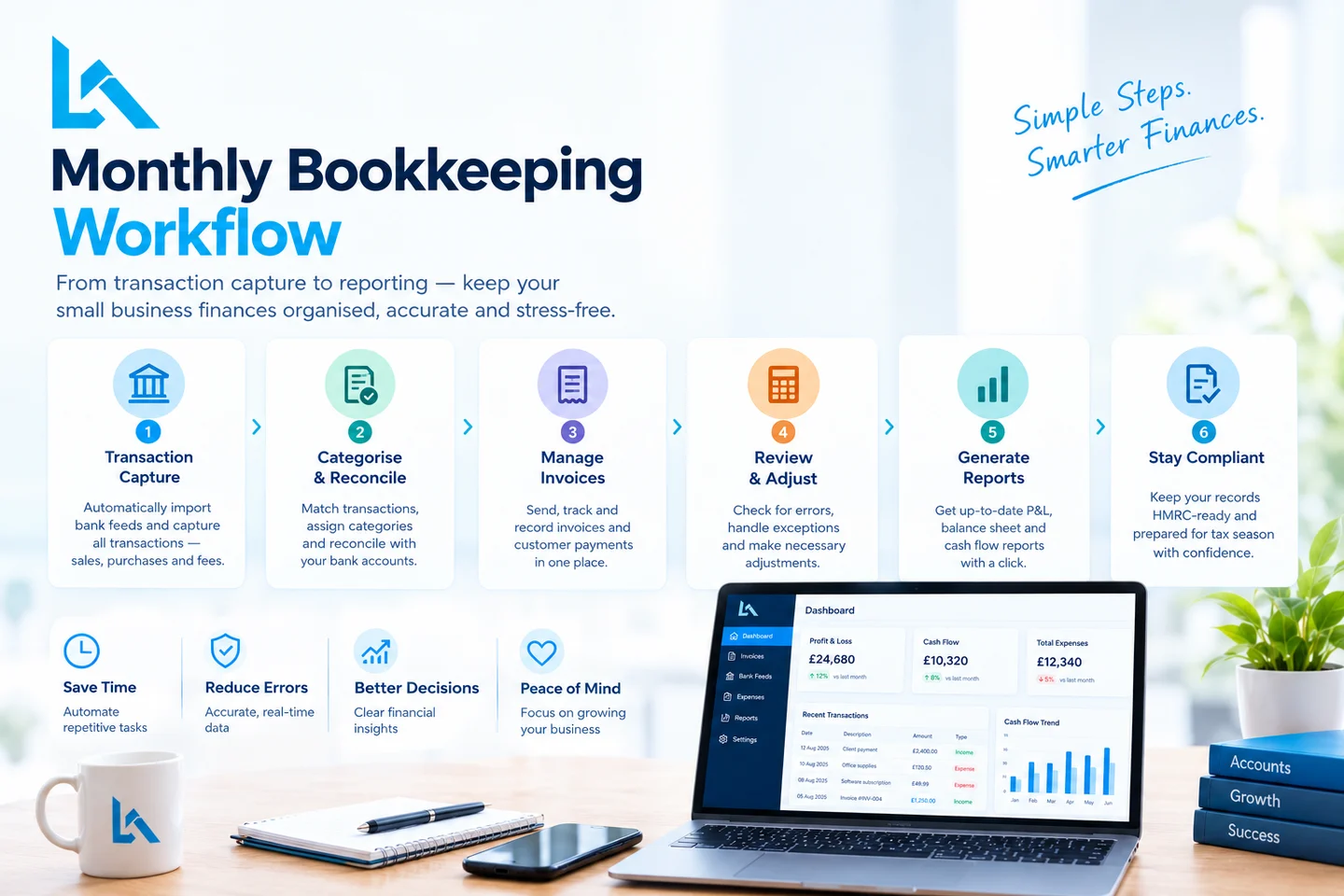
Moreover, create a simple monthly finance routine:
- Reconcile bank transactions.
- Review unpaid invoices.
- Check expenses and receipts.
- Review profit and loss.
- Monitor cash flow.
- Check upcoming tax obligations.
- Investigate unusual transactions.
For accounting firms adopting AI automation, add one more step: define a human review process for low-confidence or unusual transactions before information reaches the final ledger.
Good bookkeeping is a process, not simply a piece of software.
Conclusion: What Are the Best Bookkeeping Solutions in 2026?
Keeping clean books is more than an accounting formality - they form the cornerstone for confident decision-making, less tax burdens and readiness to scale. Finding the optimal bookkeeping solution depends on where your business stands today rather than any generalized “best of” list you might see online; whether that means opting for free software plans, fractional bookkeepers or an outsourced team now could make all the difference!
In 2026, the best bookkeeping solution is defined as one which fits seamlessly with your business stage, financial complexity and budget while meeting human support requirements.
Freelancers and small businesses may benefit from beginning with inexpensive cloud bookkeeping software, while small businesses may require stronger integrations and reporting features. Furthermore, growing startups or e-commerce companies often benefit from scalable systems or hybrid bookkeeping support to handle bookkeeping needs more effectively.
UK accounting firms face unique considerations. A strong setup could consist of pairing an established accounting platform such as Xero, Sage or QuickBooks Online with an AI automation layer like Ledger AI for maximum effectiveness.
Ledger AI stands out by its focus on automating bookkeeping tasks: recognizing client statements, extracting transaction data, categorising spending habits and creating trial balances - as well as connecting to existing accounting platforms (Ledger AI).
Automation is revolutionizing bookkeeping by eliminating repetitive tasks and increasing access to financial data, but for optimal results it must be combined with proper processes and human oversight.
If your current bookkeeping feels cumbersome and complicated, 2026 could be an opportunity to improve it. Assess your transaction volume, compliance needs, integrations and growth plans before selecting a solution that makes your finances simpler to manage rather than making them more complicated.
Written by
Himanshi Asnani - SEO and Content Writer with 2 years of experience, with experience working on more than 4 websites with the goal of improving organic search performance.
Disclaimer: This article was initially drafted using AI assistance. However, the content has undergone thorough revisions, editing, and fact-checking by human editors and subject matter experts to ensure accuracy.